
MAAD-AF Disabling Anti-phishing
This module enables an attacker to disable anti-phishing policies configured within an Exchange Online environment. This allows an attacker the ability to potentially further a spearphishing campaign without these controls getting in the way of email delivery.
Module Overview - DRAFT
NOTE FOR ENABLEMENT TEAM: Need to understand how we generate anti-phishing policies for lab-users and update the below verbiage to suit.
From the main Attack Arsenal menu, enter
5forDisable Phishing Monitoring. Read through the MITRE information, and press<Enter>to continue.When prompted to initiate recon for available policies, enter
Yes.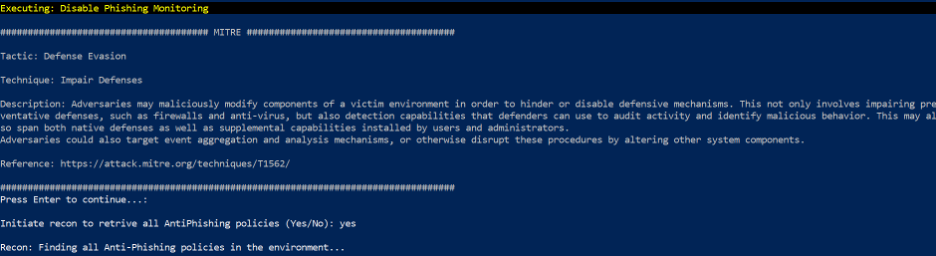
Locate the correct anti-phishing policy assigned to you for the lab in the displayed list.
When prompted for the policy, copy/paste it from the list, or type the full name of the policy.
Once the specified anti-phishing policy has been set to
Disabled, a success message will be shown as seen below:
MAAD-AF will prompt the user to undo the actions just created. Select
Nofor the purposes of this exercise.
Validation
Enter the name of the anti-phishing policy which was disabled.