
MAAD-AF Password Brute Force
This module allows an attacker to launch a password brute-force attack against an Azure AD account to gain access. The module requires a password file to use as a password dictionary.
Obtaining a dictionary file
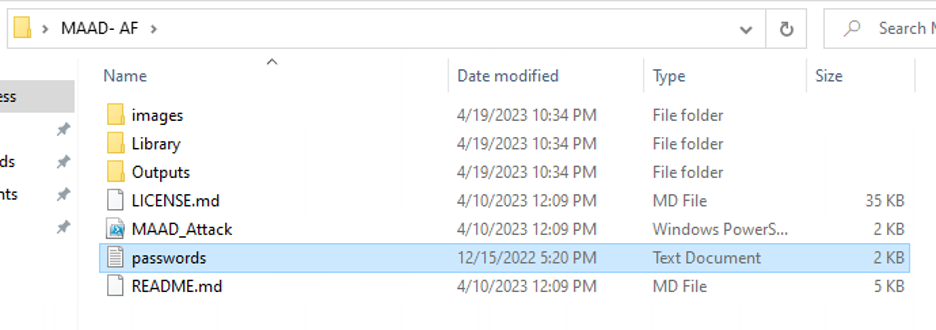
Note that this module requires a password dictionary file to use during brute force attempts. An attacker may wish to leverage a large dictionary file to increase odds of success, but in the name of time for this lab, you may download an abridged file here.
NOTE: Any password dictionary file used must be in plaintext (.txt)
format, and saved in the same folder as the MAAD_Attack.ps1 script.
Module Overview - DRAFT
NOTE TO ENABLEMENT TEAM: We may need to find a more sustainable example to use for lab users and adjust the verbiage below accordingly.
From the main Attack Arsenal menu, enter
11forBrute Force Password to Gain Access. Read through the MITRE information, and press<Enter>to continue.Launch a Brute Force attack against the
ryan_howard@demolab.vectra.aiaccount.Enter the full name of the password dictionary file you are using.
NOTE: MAAD-AF may try and suggest possible files that it finds in the same directory as the
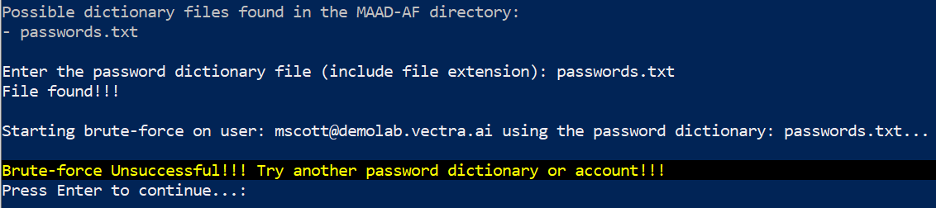
MAAD_Attack.ps1script. For the purposes of this lab, the recommendations can be ignored.Observe the progress bar on top to see real time progress of the attack. If the brute-force is successful, MAAD-AF will display details of its findings. The module will print a failure or success message, as seen below:
Validation
Enter the password that cracked Ryan’s account.