
MAAD-AF Trusted IP Modification
This module allows an attacker to add their own, or any other, IP as a trusted IP within Azure AD. This can allow an attacker to get past any IP-based conditional access policies, potentially granting access to more resources.
Module Overview - DRAFT
NOTE FOR ENABLEMENT TEAM: May need to iidentify a common format for lab users to use for their trusted IP policy, e.g., “Vectra-XXXXXX”
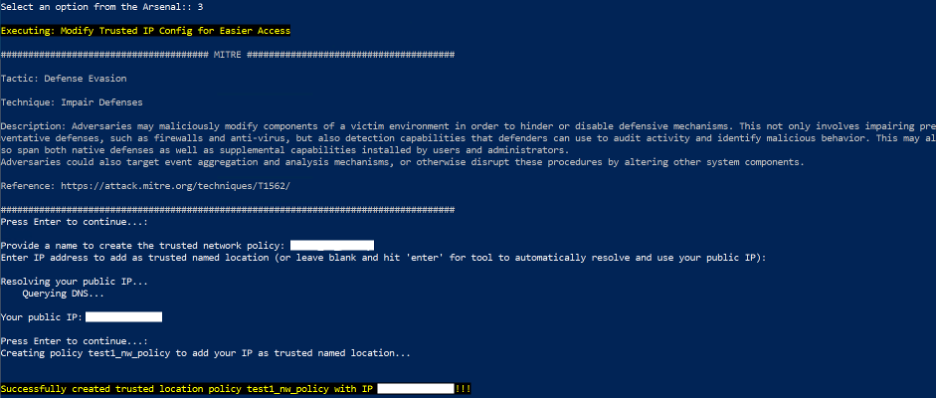
From the main MAAD-AF Attack Arsenal menu, select
3forModify Trusted IP Config for Easier Access. Read through the MITRE information, and press<Enter>to continue.Enter a name for the trusted network policy.
Enter an IP address for the trusted network policy to use. Simply pressing
<Enter>here, as prompted, would cause MAAD-AF to automatically use the IP the user is connected from as a trusted IP.For the purposes of this lab, press
<Enter>.MAAD-AF will deploy the trusted network policy with the IP address(es) specified as trusted.
MAAD-AF will prompt the user to undo the actions just created. Select
Nofor the purposes of this exercise.
Validation
Note the exact name of the trusted network policy which was just created.