
MAAD-AF External Teams Access
This module allows attackers to add an internal user or even an external adversary-controlled email to a team in MS Teams, enabling continuous access to information in Teams and Teams-connected resources, such as team-specific Sharepoint sites. The module has two sub-modules. Using the second sub-module, given the account in use has required privileges, the attacker can create a new team within MS Teams.
Module Overview - DRAFT
NOTE TO ENABLEMENT TEAM: We may need to find a more sustainable example to use for lab users and adjust the verbiage below accordingly.
From the main Attack Arsenal menu, enter
9forEnable External Access toTeams Data for Continuous Access. Read through the MITRE information, and press` to continue. Use the sub-module
1: Get added to an existing team, and enterYesto perform recon for available teams to join.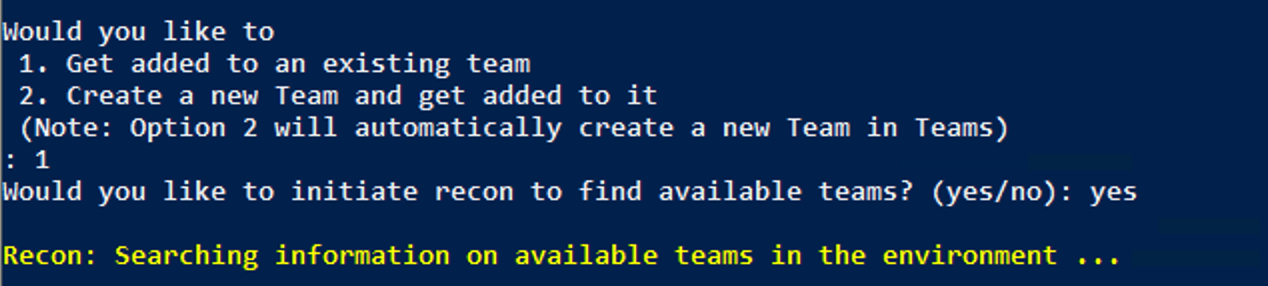
Select a team to join from the list. Enter the Display Name of the team.
Enter an email address to send the teams invitation to.
For this exercise, use your vectra.ai email.
This particular action may take a few minutes to complete as account permissions need to replicate. Enter the number of minutes MAAD-AF should wait for this action to complete.
General guidance is that
5is a good starting point in most cases.
After the user has been successfully added, a message will appear indicating success.

MAAD-AF will prompt the user to undo the actions just created. Select
Nofor the purposes of this exercise.
Validation
Enter the exact wait message displayed by MAAD-AF when waiting for the changes to take effect.