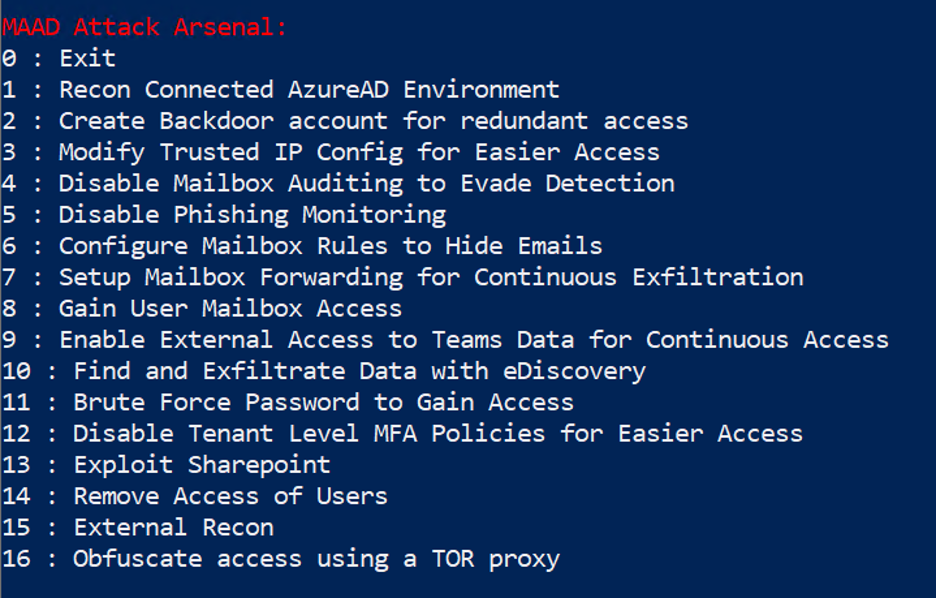
Launching MAAD-AF
This module will cover launching MAAD-AF including some information about various Powershell modules which need to be installed.
First Run
Put on your attacker hoodie and let’s start testing! ;)
Open a Powershell window (as Administrator), and navigate to the folder where MAAD-AF was cloned/downloaded.
Run the command
.\MAAD_Attack.ps1. Output similar to the following should appear in your terminal. Make sure you hit<Enter>to continue.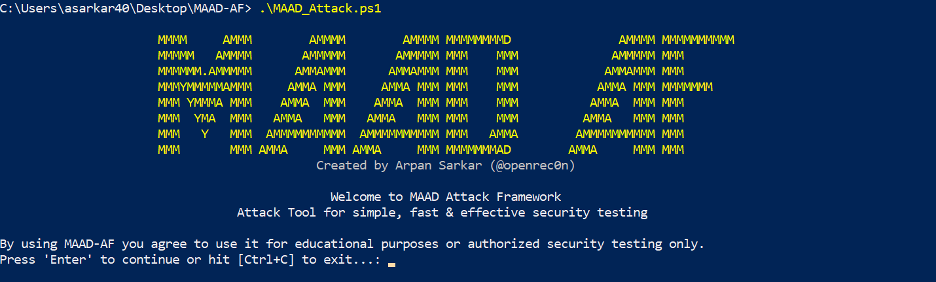
Installing Dependencies
Next, MAAD-AF will attempt to automatically download and install several required Powershell modules. These modules are required for MAAD-AF to interact with Microsoft’s various services and APIs.
If this is the first time MAAD-AF has been run on the Windows host, it is
required to answer Yes here in order for MAAD-AF to fetch all the required
modules.

NOTE: For subsequent runs on the same host, you may answer No.
For reference, the following Powershell modules will be installed:
Anonymizing Traffic over TOR
After the required modules have been installed, MAAD-AF will next prompt if the
user wishes to anonymize their traffic over TOR. For
the scope of this lab, answer No here.
This topic will be covered in more detail later in the Advanced MAAD-AF module.

MAAD-AF Modes
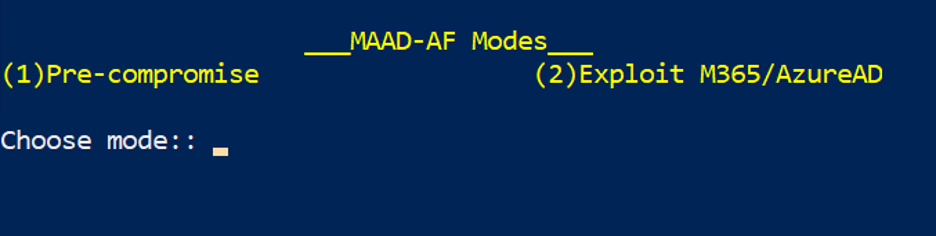
MAAD-AF has two primary operating modes:
Pre-compromise
This mode involves actions which an attacker may execute in order to gather initial information, obtain resources, and establish initial access to a target.
Post-compromise
This mode involves all the actions an attacker may take once they have successfully compromised an account with valid credentials.
This lab will focus on the post-compromise MAAD-AF mode. Enter option 2 when
prompted.
Initial Access - DRAFT
NOTE TO ENABLEMENT TEAM: We will need to figure out credentials for lab participants to leverage for this section.
After selecting Mode 2 for Post-compromise and entering valid credentials, MAAD-AF will test its access to various Microsoft services in order to understand scope of privileges.
After selecting mode
2, enter account credentials for MAAD-AF to use.A real attacker would be using compromised credentials they obtained through spearfishing, social engineering, or other means, but for the purposes of legitimate testing, use the provided lab credentials. :)
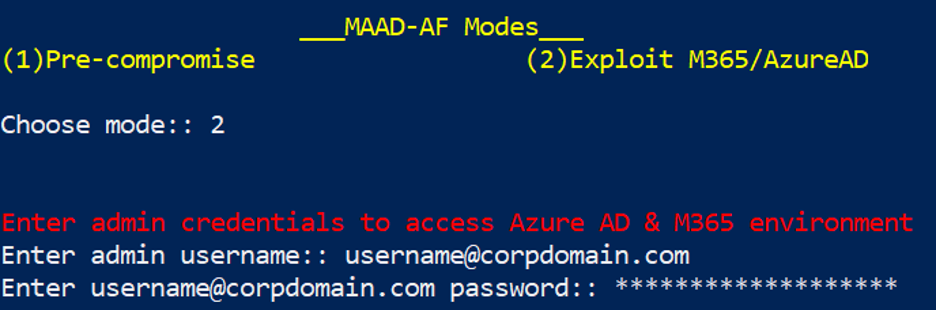
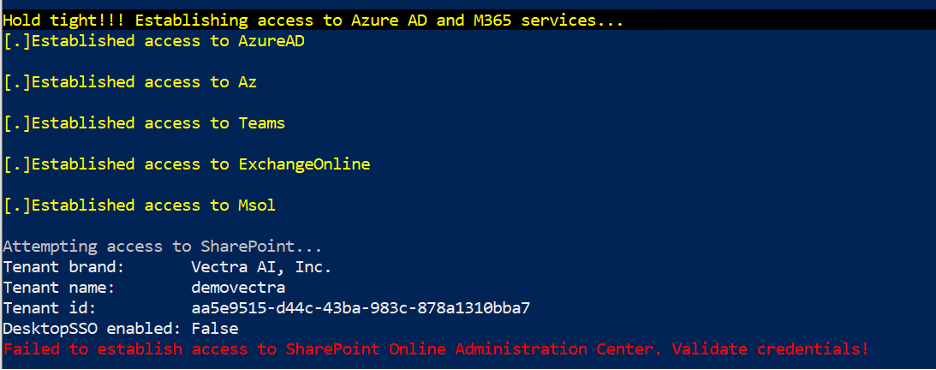
MAAD-AF will now attempt to establish access to the various Microsoft services that it requires access to.
Based upon the access and privileges of the account the attacker (that’s you) are using, some services may not be available. The example below shows that the attacker has all access except to Sharepoint Online Admin Center.
After establishing access, MAAD-AF will present the user with the Attack Arsenal which lists all available attack modules.